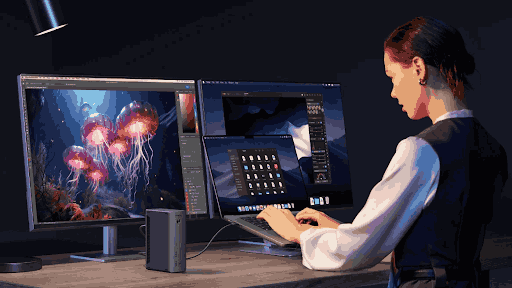
Thin laptops have changed the way people work. They are light, portable, stylish, and powerful enough for many daily tasks. For students, remote workers, business travelers, creators, and office users, a slim laptop can be the main computer for almost everything. It can handle email, video calls, writing, spreadsheets, presentations, cloud apps, photo editing, and even light creative work.
But the same design that makes thin laptops so easy to carry also creates a common problem: fewer ports.
Many modern laptops now come with only two or three ports, and sometimes they are all USB-C. This looks clean and modern, but it can become frustrating when users need to connect a monitor, keyboard, mouse, external drive, SD card, Ethernet cable, phone, camera, or charger at the same time. A slim laptop may be powerful enough to replace a desktop, but its limited ports can make that difficult in real life.
That is why thin laptops need smarter port expansion. It is no longer enough to simply add more ports. Users need the right mix of convenience, speed, power, display support, and portability.
Thin Design Comes With a Real Trade-Off
Laptop makers have good reasons for reducing ports. Fewer ports help make devices thinner, lighter, and cleaner. A slimmer body is easier to carry, fits better in bags, and looks more modern. USB-C also allows one small port to support charging, data transfer, video output, and accessories.
On paper, this sounds efficient. In practice, users often need more than one connection at a time.
A designer may need an external monitor, drawing tablet, external SSD, and charger. A remote worker may need a webcam, microphone, keyboard, mouse, and Ethernet connection. A student may need HDMI for presentations, USB-A for older flash drives, and a charger during long study sessions. A photographer may need an SD card reader and external storage while traveling.
The problem is not that thin laptops are weak. The problem is that their physical design often does not match the number of accessories people still use. A laptop can be powerful enough for professional work, but without the right connections, the workflow becomes slower and messier.
More Ports Are Not Always the Answer
When users run out of ports, the first instinct is usually to buy the accessory with the most connections. That can be a mistake.
Port expansion should not be judged only by the number of ports. A device with ten ports may look impressive, but that does not mean every port is fast, stable, or useful for your workflow. The type of port, bandwidth, power delivery, and display support are more important than the total count.
For example, two USB-C ports may perform very differently. One may support data transfer only, while another may support charging, video output, and high-speed external storage. An HDMI port may support 4K at 30Hz, but not 4K at 60Hz. A pass-through charging port may not deliver enough power for a larger laptop.
This is why smarter expansion matters. The goal is not to collect as many ports as possible. The goal is to remove friction from daily work.
When a Simple Hub Makes Sense
A small hub is often the easiest solution for users who need basic expansion. It is portable, lightweight, and simple to carry in a laptop bag. It can add common ports such as USB-A, HDMI, SD card slots, Ethernet, or USB-C pass-through charging.
A usb hub makes sense when your needs are occasional or mobile. If you only need to connect a projector, transfer files from a flash drive, plug in an SD card, or use one external monitor, a compact hub may be enough. It gives you flexibility without turning your bag into a cable drawer.
This type of accessory is especially useful for students, travelers, consultants, photographers, and hybrid workers. It is also helpful for people who move between offices, classrooms, hotels, coworking spaces, and meeting rooms. Instead of relying on whatever ports are available at each location, a hub gives you a small backup solution.
However, a hub is usually designed for convenience rather than heavy desk performance. That means it may not be the right answer for every user.
Where Basic Hubs Start to Struggle
A basic hub can solve simple problems, but it may struggle with demanding setups. The limitations usually appear when users try to connect too many devices, run multiple displays, transfer large files, or power a laptop through the same connection.
For example, a hub may support one external monitor but not two. It may allow pass-through charging but at a lower wattage than the laptop needs. It may include several USB ports, but some of them may run at slower speeds. If a user connects a monitor, external drive, webcam, and charger at the same time, performance can become less stable.
This matters for people who work at a desk every day. If the setup includes a monitor, keyboard, mouse, webcam, speakers, Ethernet, and charging, a small cable-based hub can become awkward. It may sit loosely on the desk, pull against the laptop, or create cable clutter.
The more a laptop is used as a main computer, the more important stable expansion becomes.
Why Full Desk Setups Need More Structure
A thin laptop can work well as a desktop replacement, but only if the desk setup is planned properly. Users need a way to connect everything quickly without plugging in five or six cables every morning.
This is where a full docking setup becomes more useful. A dock is designed to stay on the desk and connect multiple accessories in one place. The laptop connects through one main cable, while the monitor, keyboard, mouse, Ethernet, storage, audio devices, and power remain connected to the dock.
A laptop docking station can make a slim laptop feel like a complete workstation. It helps users move between portable mode and desk mode without rebuilding the setup every time. This is valuable for remote workers, office employees, developers, designers, analysts, and anyone who uses a laptop as the center of a daily workflow.
The benefit is not only extra ports. It is consistency. When the setup works the same way every day, work starts faster and the desk stays cleaner.
Display Support Is a Major Reason to Upgrade
External monitors are one of the biggest reasons people look for smarter port expansion. A larger screen can improve productivity, make multitasking easier, and reduce the strain of working on a small laptop display all day.
But monitor support can be complicated. Not every laptop, hub, or dock handles displays the same way. Users need to think about resolution, refresh rate, number of screens, and connection standards.
A basic hub may be fine for one 1080p monitor or one 4K display at a lower refresh rate. But users who want dual monitors, 4K at 60Hz, ultrawide displays, or high-refresh screens may need a more capable solution. Mac and Windows laptops may also handle external displays differently, so compatibility matters.
This is one area where buying based only on price can lead to frustration. If the display output does not match your monitor setup, the entire workstation feels limited.
Power Delivery Should Not Be Ignored
Another important part of port expansion is charging. Many thin laptops use USB-C for power, which is convenient but also creates competition for ports. If one port is used for charging and another is used for accessories, there may be little room left.
A good expansion device can provide power delivery while also supporting data and display connections. But users need to check the wattage carefully. A small laptop may only need 45W or 60W, while a more powerful laptop may need 90W or more. If the hub or dock cannot deliver enough power, the laptop may charge slowly or even lose battery during heavy use.
This is especially important for people who use external displays, video calls, creative software, or many browser tabs throughout the day. A stable power connection helps the whole setup feel more reliable.
You can also read about I Tested Vidnoz AI for YouTube Content Creation.
Data Speed Matters for Modern Workflows
Thin laptops are often used by people who store files in the cloud, but local data transfer still matters. Creators may move large photo or video files from cameras to external drives. Developers may use external storage for projects. Office users may work with large presentations, backups, or shared drives.
A slower port can become a bottleneck. This is why users should pay attention to USB standards, transfer speeds, and storage support. A port that is fine for a mouse or keyboard may be too slow for large video files.
If your work involves big files, external SSDs, or fast media transfers, smarter port expansion is not a luxury. It directly affects productivity.
Portability vs Performance
The choice between a hub and a dock often comes down to portability versus performance. A compact hub is easier to carry and better for temporary needs. A dock is stronger for a fixed desk setup and better for users who connect several devices every day.
There is no single right answer for everyone. A student may need a small hub for class and presentations. A remote worker may need a dock at home. A photographer may use a hub on the road and a larger dock for editing at a desk. A business traveler may prefer a compact adapter most of the time but still use a full desktop setup at the office.
In many cases, the smartest solution is not choosing one forever. It is using the right tool for the right place.
How to Choose Smarter Port Expansion
Before buying any expansion device, users should map out their real needs. Start with the devices you connect most often. Do you use one monitor or two? Do you need Ethernet? Do you transfer files from SD cards? Do you need fast external storage? Does your laptop need high-wattage charging? Do you work mostly from one desk or move around often?
If your needs are light and occasional, a usb hub may be enough. If your laptop works as your main computer at a desk, a laptop docking station may be a better long-term solution.
It is also important to check compatibility. Make sure your laptop supports the features you want, such as video output over USB-C, fast charging, or multiple external displays. A good accessory cannot add capabilities that the laptop itself does not support.
Finally, think about cable management. A clean setup is easier to use every day. The best expansion solution should not only add ports but also reduce clutter and make your routine smoother.
Final Thoughts
Thin laptops are popular because they are portable, modern, and powerful. But their limited ports can create real problems when users need to connect monitors, accessories, storage, and power at the same time.
That is why smarter port expansion matters. A simple hub can be perfect for travel, meetings, and occasional connections. A full dock can turn a slim laptop into a stable workstation for daily desk use.
The right choice depends on how you use your laptop. If you mostly work on the move, portability may matter most. If you spend hours at a desk with multiple accessories, stability and performance may be more important.
Thin laptops do not need to be limited by their small number of ports. With the right expansion setup, they can stay portable when you move and become powerful workstations when you sit down to work.