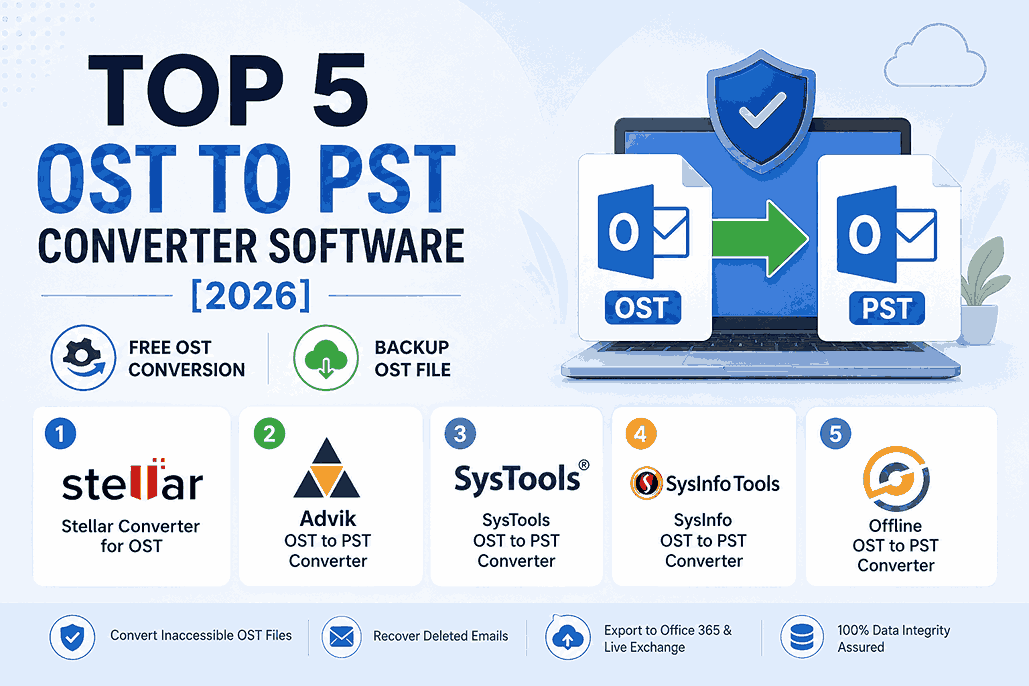
Microsoft does not provide any specialized tool to convert Outlook OST file to PST format, besides an option (Import/Export wizard) in Outlook to export mailbox data from OST file to PST. However, this option doesn’t work when the Outlook profile or OST file is not accessible. This is where an OST to PST converter software is required. An OST to PST converter software can easily convert an OST file even when Outlook can’t be accessed, displays an OST file error, or Outlook profile is deleted/disabled from the server.
However, there are several OST to PST converter software available in the market. Sometimes, it becomes difficult to decide as every software claims to be the best one. Therefore, in this article, we’ve discussed 5 best OST to PST converter software for Windows, based on their features and performance to help you choose the one that is suitable for your OST to PST conversion needs.
5 Best OST to PST Converter Software
Here’s is a list of 5 best OST to PST converter software, along with their features, and pros and cons.
1. Stellar Converter for OST
Stellar Converter for OST is one of the best and most highly rated OST to PST converter software. It is trusted and recommended by Microsoft MVPs and IT admins to convert orphaned and inaccessible OST files to PST and other formats. It helps you extract the mailbox items from Outlook OST with 100% precision and integrity. It also recovers deleted and lost mailbox items, such as emails, attachments, contacts, calendar items, etc. The software converts multiple OST files to PST without any file size limit. It helps users migrate their OST mailbox items to different platforms, such as Outlook, Office 365, and live Exchange.
Features
- Converts inaccessible, encrypted, and orphaned OST files to PST format
- Extracts all OST mailbox components, such as emails, attachments, contacts, calendar entries, notes, journals, etc.
- Converts OST file of any size
- Recovers deleted mailbox items and highlights them with red color
- Batch conversion option to convert multiple OST files to PST files at once
- Advanced filters to convert selective emails or messages from OST file, based on ‘To’, ‘From’, ‘Subject’, and ‘Date’
- Provides preview of mailbox items in a three-tier structure after conversion
- Multiple saving options, such as PST, EML, MSG, PDF, RTF, and HTML
- Exports OST file to Office 365 account or live Exchange Server directly (Technician version)
Pros
- Ensures 100% data integrity during conversion
- Faster OST to PST conversion
- Supports conversion to multiple file formats
- Easy-to-use interface suitable for all users
- 24/5 support for technical assistance
- Demo version available to preview converted items
Cons
- Demo (free) version saves only 20 items per mail folder to PST. But it allows to preview all OST mailbox items for free after conversion.
2. Editions and Pricing
- Corporate Edition – $79 for one year license and supports conversion of up to 5 mailboxes
- Technician Edition – $149 for 1 year and $249 for lifetime license.
- Toolkit Edition – 8-in-1 software-suite at $199 for 1 year and $299 for lifetime license.
- Advik OST to PST Converter
Advik OST to PST Converter is an advanced software that quickly converts OST file to PST format. Besides PST, it also saves the OST file data to MSG, MBOX, PDF, EML, TGZ, DOC, and several other file formats.
Features
- Converts OST file into PST without any file size limit
- Supports OST file created in Outlook 2019, 2016, 2013, and earlier versions
- Maintains the OST mailbox folder hierarchy and metadata
- Multiple output file format support
- Repairs damaged OST file
- Exports OST data to Office 365
- Batch Conversion option to convert multiple OST files to PST
- Converts encrypted OST file
- Compatible with Windows 10, 8.1, 8, 7, and older versions
Pros
- Converts OST files into multiple formats, providing flexibility
- Easy to navigate interface, making it accessible for all users
- Offers free lifetime updates and 24/7 customer support
Cons
- Compact PST option is not available
- No option to export OST to live Exchange or existing Outlook profile
Editions and Pricing
- Personal License: $49
- Business License: $69
- Migration License: $129
3. SysTools OST to PST Converter
SysTools OST to PST converter is another popular OST converter software that converts OST files of Outlook 2019, 2016, 2013, 2010, and below versions to PST format. The software can convert also multiple OST files to PST. It supports encrypted and orphaned OST file conversion. You can use the software to convert, export, and backup OST mailbox data to PST and other formats, such as HTML, EML, MSG, and Office 365.
Features
- Converts Outlook OST files to PST, EML, MSG, HTML, and PDF formats
- Converts inaccessible or orphaned OST files to PST
- Supports conversion of large OST files
- Supports Batch Conversion to convert multiple OSTs to PSTs
- Decrypts encrypted Outlook OST emails and removes S/MIME and OpenPGP encryption
- Supports Outlook 2003, 2007, 2010, 2013, 2016, 2019, and 2021
- Compatible with Windows 10, 8.1, 8, 7, and below versions
Pros
- Converts OST files with high accuracy and maintains data integrity
- Simple and intuitive interface, suitable for users of all skill levels
- Offers professional support
Cons
- Requires .NET framework 4.5 to avoid compatibility issues
- No option to compact PST file
Editions and Pricing
- Full Version License: $49
- Business License: $229
- Enterprise License: $999
You can also read about KYB as a Service: Benefits for Businesses in 2026.
4. SysInfo OST to PST Converter
SysInfo OST to PST converter is one of the best tools to quickly convert OST files to PST and other file formats, such as DBX, MBOX, EML, MSG, and Archive. The software also repairs damaged or corrupted Exchange or IMAP Outlook OST files. You can also convert password-protected OST files to PST.
Features
- Converts OST to PST, DBX, MBOX, MSG, EML, and Archive formats
- Converts all OST mailbox items, such as emails, journals, task, to-do, etc.
- Converts damaged or corrupt OST files
- Previews mailbox items before saving
- Supports password-protected or encrypted OST files
- Supports OST file of any size
- Provides status report of OST to PST conversion
- Converts OST to PST with precision and accuracy
- Option to exclude emails by using various filters
- Supports bulk OST file conversion
Pros
- Converts OST files with high accuracy and maintains data integrity
- Easy-to-use interface suitable for both beginners and experienced users
- Competitive pricing
Cons
- No option to export OST data to Office 365 and live Exchange
- Limited output file format options
- No option to compact PST file
Editions and Pricing
- Single User License: $69
- Administrator License: $219
- Technician License: $319
- Enterprise License: $419
5. Offline OST to PST Converter
Offline OST to PST Converter is also a reliable OST to PST converter software which is available for Windows. The software converts Outlook OST to PST, MSG, EML, VCF, and TXT formats. It extracts emails, tasks, journals, notes, contacts, events, calendars, etc. from OST file and saves them to Outlook importable PST format.
Features
- Converts OST to PST locally without internet access
- Supports orphaned, inaccessible, and password-protected OST files
- Converts OST files of any size
- Previews OST mailbox items after conversion
- Converts OST files in ANSI (Outlook 97…2003) and UNICODE (Outlook 2007 and later) formats
- Extracts data from damaged OST files
Pros
- Converts files locally without internet dependency
- Simple and easy to use interface
- Competitive pricing
Cons
- No option to split or compact PST files
- Slower scanning process
- No option to export OST data to Office 365 and live Exchange
- Batch conversion is not available
Editions and Pricing
- Personal License: $39
- Business License: $59
- Site License: $99
Conclusion
You can choose any of the above given OST to PST Converter software as per your requirements. These software can help you convert OST files of any size to PST and various other formatsand create a reliable backup of OST files for migration, compliance, or disaster recovery purposes These software can help you resolve Outlook errors, recover lost or deleted emails, and import OST mailbox into Office 365, existing Outlook profile, or live Exchange directly. Out of these, Stellar Converter for OST is the best OST to PST software. It is often recommended by several MVPs and admins across the globe. There’s also a study conducted on OST to PST converter software in which Stellar Converter for OST outperformed all the other OST converter software in the industry on several parameters.