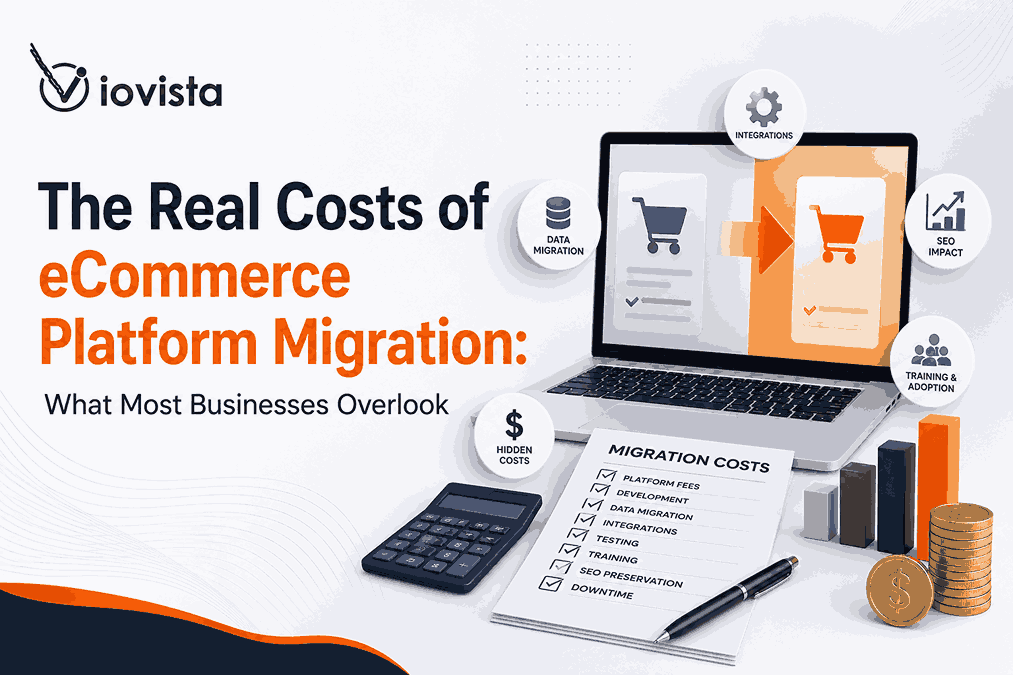
Most replatforming budgets are built around a single number: the new platform’s monthly fee. It’s the easiest figure to find, the easiest to compare, and the one that ends up being the least predictive of what the project actually costs. By the time the real expenses surface — dirty data, rebuilt integrations, lost rankings, a checkout that converts worse than the old one — the budget has already been signed off, and the overruns become someone’s problem to absorb.
This guide breaks down the full cost picture of an eCommerce platform migration: the visible line items you’ll see on any quote, and the hidden costs that quietly inflate budgets by 20%, 40%, or more. If you’re weighing a move, understanding these costs upfront is the difference between a migration that pays for itself and one that becomes the most expensive mistake on your roadmap.
What Is an eCommerce Platform Migration?
An eCommerce platform migration — often called replatforming — is the process of moving your online store from one technology platform to another. That includes your products, customers, order history, content, design, and the web of integrations that keep the business running. It is not a copy-paste exercise. You are rebuilding a storefront on a new foundation while keeping the existing one selling.
Businesses replatform for a handful of recurring reasons: outdated technology that can’t keep up, scalability ceilings, platform costs that have crept past what the value justifies, a customer experience that’s bleeding conversions, or the need for advanced features the current system simply won’t support. Common paths include Magento to Shopify, WooCommerce to Shopify, BigCommerce to Adobe Commerce, and the long tail of legacy or custom-built stores moving to modern SaaS solutions.
The right time to consider a move usually announces itself through symptoms: persistent performance issues, mounting security concerns, growth the platform can’t accommodate, integration friction that slows every new initiative, and maintenance expenses that keep climbing. If several of those are true at once, a structured eCommerce platform migration is worth evaluating — but only with eyes open to the whole cost.
The Visible Costs of eCommerce Platform Migration
These are the costs that make it onto almost every quote. They’re real, they matter, and they’re also the easiest part to estimate.
1. Platform Licensing and Subscription Fees
The headline number. Depending on whether you land on Shopify, Adobe Commerce, BigCommerce, or WooCommerce, you’re looking at monthly or annual subscription costs, and at the enterprise tier, licensing fees that scale with revenue or order volume. Layer in transaction fees and payment processing costs, which vary meaningfully by platform and can erode margin at scale. Comparing platforms on subscription price alone is misleading — a cheaper base plan can carry higher transaction fees or force you into paid apps for features another platform includes natively. A proper eCommerce platform discovery and selection process weighs all of these together rather than chasing the lowest sticker price.
2. Design and Development Costs
Your existing theme rarely transfers. Expect to budget for theme redevelopment, custom UX/UI implementation, and mobile optimization, since each platform has its own templating system and front-end conventions. If you’re considering a headless or composable architecture, the front end becomes a separate build entirely. This is where a lot of the project’s visible spend concentrates, and where the difference between a templated theme and a thoughtful eCommerce design and development effort shows up directly in conversion rates after launch.
3. Data Migration Expenses
Moving the data itself — products, customer accounts, order history — is core to any migration and carries real cost, especially when category structures and product attributes don’t map cleanly between platforms. Attribute mapping in particular is deceptively labor-intensive: source and destination platforms often model the same information in incompatible ways, and reconciling them by hand takes time.
4. Third-Party Migration Tools
Automated migration tools and middleware can accelerate the data transfer, and data validation tools help confirm nothing was lost in transit. These have licensing costs of their own. They’re useful, but they are not a substitute for human review — automated tools move data; they don’t judge whether the data was worth moving, which brings us to the part of the budget that actually causes the overruns.
The Hidden Costs That Often Blow Up Migration Budgets
Here’s where projects go sideways. None of these line items are exotic — they’re entirely predictable — yet they’re routinely left out of initial quotes because they’re harder to scope and easier to wave away during the optimistic early planning stage.
5. Data Cleanup and Data Quality Issues
Dirty data is the single most common reason migration timelines slip. After years of operation, most stores accumulate duplicate customer records, products with missing or inconsistent information, attributes that were never standardized, and legacy database quirks that nobody remembers the reason for. When you migrate that mess as-is, you don’t fix it — you carry it into the new platform and pay to clean it there, where it’s often harder to fix.
The cost impact shows up as additional development time, manual correction work that can’t be automated, and delayed launch timelines. The lesson nearly every experienced team learns the hard way: clean the data before you migrate, not after. ioVista’s migration track record reflects this discipline — their published work cites 0% data loss during migration across projects, which is only achievable when data quality is treated as a planning-phase priority rather than a launch-week scramble.
6. Integration Rebuild Costs
Your storefront doesn’t operate in isolation. It’s wired into the systems that run the business, and every one of those connections has to be re-established on the new platform. That typically includes:
- ERP systems that sync orders, inventory, and financials
- CRM platforms holding customer relationships and history
- PIM systems managing product information at scale
- Inventory and warehouse management tools
- Marketing automation platforms
- Shipping and fulfillment software
Integrations are chronically underestimated because the old connections “just worked,” so it’s easy to assume rebuilding them is trivial. It usually isn’t. API limitations on the new platform, custom workflows that were never documented, and legacy system compatibility issues all add scope. Reconnecting these systems — whether it’s ERP integration, CRM integration, PIM integration, or warehouse and POS connections — is frequently the largest hidden cost in the entire project. Scoping your full software integration landscape early is the only way to avoid a nasty surprise mid-build.
7. SEO Migration Costs Most Businesses Ignore
Few hidden costs are as damaging as botched SEO migration, because the bill arrives as lost revenue rather than a line item on an invoice. Preserving organic traffic through a replatform requires deliberate work: comprehensive URL mapping, correct 301 redirect implementation, metadata migration, structured data preservation, and internal link updates. Skip any of these and search engines effectively see a brand-new site with broken history.
The cost of getting it wrong is steep — ranking losses, traffic decline, and a revenue impact that can take months to recover from, if it recovers fully at all. Treat SEO as a launch requirement, not an afterthought. A solid SEO migration checklist includes a pre-launch SEO audit, thorough redirect testing, technical validation before going live, and close post-launch monitoring. Pairing that with ongoing eCommerce SEO and emerging AI SEO work protects the organic equity you’ve spent years building. ioVista has published migration case studies specifically demonstrating Magento 2 moves completed with zero SEO impact — proof that traffic preservation is a process, not luck.
8. Revenue Loss During Migration
Even a flawless technical migration carries revenue risk during the transition itself. Downtime is the obvious threat — temporary outages, checkout interruptions, and inventory synchronization issues during cutover can each directly stop sales. Less obvious are conversion rate fluctuations after launch: a redesigned experience, a new checkout flow, and unfamiliar navigation can all temporarily depress conversion even when nothing is technically broken, simply because returning customers have to relearn the store.
It’s worth calculating your exposure before you start. A simple revenue-per-hour figure (monthly revenue ÷ hours in the month) tells you what an hour of downtime actually costs, and that number usually justifies investing in a careful cutover plan. Minimizing post-launch conversion dips is exactly where conversion rate optimization earns its keep.
9. Custom Feature Redevelopment Costs
Custom functionality rarely transfers cleanly. Bespoke checkout workflows, product configurators, pricing engines, and B2B account functionality — quoting, customer-specific catalogs, net terms — were typically built for the old platform’s architecture and have to be rebuilt or replaced on the new one. This is especially true for B2B and manufacturing stores, where the custom logic often is the business.
Every custom feature deserves a rebuild-vs-replace analysis: review what the feature actually does, check whether the new platform offers a native or app-based alternative, and weigh long-term maintenance before defaulting to a full rebuild. Sometimes the new platform does it better out of the box; sometimes the custom logic is a genuine competitive advantage worth preserving. Knowing which is which prevents both over-engineering and feature regression.
10. Team Training and Change Management Costs
A new platform means new admin workflows, and your team pays for that in productivity before they pay for it in proficiency. Admin training, customer service onboarding, and marketing team education all take time, and there’s an unavoidable learning curve while people adjust to new processes. Budget for temporary operational inefficiency in the weeks after launch — it’s real, it’s normal, and pretending it won’t happen just means it shows up as unplanned overtime and frustration. Ongoing support and maintenance smooths this transition considerably.
11. Quality Assurance and Testing Costs
Testing is the line item most often trimmed to hit a deadline, and the one most likely to come back as a post-launch emergency. Critical areas that demand thorough QA include product catalog accuracy, checkout functionality, payment gateways, mobile responsiveness, and every integration touchpoint. Testing is underbudgeted because teams plan for one clean pass, when reality requires multiple cycles, structured user acceptance testing, and a reserve for resolving the issues that inevitably surface after go-live. A pre-migration technical code audit and a speed and performance audit reduce the number of surprises that QA has to catch later.
The Long-Term Costs of Your New Platform
The migration project ends. The platform’s cost does not. Evaluating a move purely on project cost ignores the larger number you’ll live with for years.
12. Total Cost of Ownership (TCO)
Beyond the initial migration, your real long-term spend includes hosting, ongoing maintenance, security updates, app and extension subscriptions, and development support for changes and fixes. These vary widely across platforms. Shopify and BigCommerce bundle hosting and security into the subscription but can accumulate app costs; Adobe Commerce and WooCommerce offer more control and flexibility but shift more hosting, security, and maintenance responsibility onto you. There’s no universally “cheapest” platform — only the one whose TCO best fits your team, your catalog, and your growth plans. Comparing the available platforms on total cost of ownership, not subscription price, is the single most clarifying exercise in platform selection.
13. Scalability Costs
A migration should buy you years of runway, not a repeat performance in 18 months. Plan for what growth will demand: additional integrations, multi-store or multi-brand expansion, international commerce with multi-currency and localization, and continued performance optimization as traffic and catalog grow. The whole point of replatforming onto a capable foundation — whether that’s Adobe Commerce, Shopify Plus, BigCommerce, or WooCommerce — is to avoid another disruptive, expensive migration in three to five years. Choosing for where the business is headed, not just where it is today, is what makes that possible.
How to Build a Realistic Migration Budget
14. Migration Cost Breakdown Framework
A credible budget accounts for every cost category, not just the visible ones. At minimum, plan separate lines for strategy and planning, development, data migration, integrations, SEO, testing, training, and post-launch support. When all eight are itemized, the budget stops being a single optimistic number and becomes a defensible plan.
On top of that, reserve a contingency of 15–30% for unforeseen costs. This isn’t padding — it’s an acknowledgment that data will be messier than expected, an integration will be more complex than the API docs suggested, and something will surface in testing that nobody anticipated. Teams that build in contingency absorb these gracefully; teams that don’t end up cutting QA or SEO to stay on budget, which is exactly how a cheap migration becomes an expensive one.
How to Reduce Migration Costs Without Increasing Risk
15. Best Practices for a Successful Migration
The good news: most overruns are preventable with discipline rather than additional spend. A few practices consistently lower both cost and risk:
- Start with a discovery phase. Define scope, requirements, and risks before anyone writes code. Decisions made here are cheap; decisions remade mid-build are not.
- Audit your existing technology stack. Document every integration, custom feature, and dependency so nothing is “discovered” halfway through.
- Eliminate unused apps and features. Don’t pay to migrate functionality nobody uses. Migration is the best opportunity you’ll get to shed bloat.
- Clean your data before migration. As covered above, this is the highest-leverage cost-saving step available.
- Conduct extensive testing. Multiple cycles and real user acceptance testing cost far less than emergency post-launch fixes and lost sales.
- Monitor performance after launch. Catching regressions in rankings, speed, and conversion early limits the damage and the recovery cost.
Notably, none of these require a bigger budget — they require sequencing the work correctly, which is largely a function of choosing the right partner.
Why Choosing the Right Migration Partner Matters
16. Questions to Ask Before Hiring an Agency
The agency you choose has more influence over your total cost than the platform you choose. Before signing, ask:
- Have you completed similar migrations, on these specific platforms and at this scale?
- What is your migration methodology, end to end?
- How do you handle SEO preservation specifically?
- What post-launch support do you provide, and for how long?
- Can you share relevant migration case studies?
That last question is the most revealing. Look for documented results across exactly the kind of move you’re making — for example, a WooCommerce-to-Shopify migration, a Magento-to-Shopify replatform, or a legacy platform moving to BigCommerce. A portfolio of real migration case studies tells you more than any sales deck.
Red flags to watch for: an unrealistically low quote (it almost always means hidden costs are being deferred, not avoided), no concrete SEO migration plan, a thin or vague testing process, and limited integration expertise. Any one of these is a sign the overruns will land on you after the contract is signed.
Conclusion: Migration Is an Investment, Not Just a Project
The most expensive way to think about replatforming is as a one-time cost to be minimized. The visible costs — licensing, design, data transfer, tooling — are real but predictable. The hidden costs — data cleanup, integration rebuilds, SEO preservation, downtime, custom feature redevelopment, training, and testing — are where budgets actually break, and they break precisely because they were left out of the original number.
Plan beyond the platform fee. Itemize every cost category, reserve a genuine contingency, clean your data, protect your rankings, and choose a partner with a documented record on your migration path. Done this way, a migration delivers years of ROI: faster performance, better conversion, lower long-term TCO, and headroom to grow. Done the other way, it delivers a discount on the project and a premium on everything that follows.
At ioVista, we’ve helped businesses navigate complex eCommerce migrations across platforms while minimizing disruption, preserving search performance, and maximizing long-term ROI. Our experience has shown that when migration is approached strategically, it can deliver significant benefits, including improved site performance, better customer experiences, increased conversions, and a more scalable foundation for future growth.
FAQ
How much does an eCommerce platform migration typically cost? It varies enormously based on catalog size, number of integrations, custom functionality, and design scope — there’s no single right number. The more useful question is whether the budget accounts for all cost categories (data, integrations, SEO, testing, training, post-launch support) plus a 15–30% contingency. A quote that only covers the obvious items will cost more in the end, not less.
What is the biggest hidden cost of replatforming? For most stores it’s a tie between integration rebuilds and data cleanup. Reconnecting ERP, CRM, PIM, and fulfillment systems is consistently underestimated, and migrating years of accumulated dirty data costs far more to fix on the new platform than it would have to clean beforehand.
How long does an eCommerce migration take? Anywhere from a few weeks for a small, clean catalog to several months for an enterprise store with heavy customization and many integrations. The discovery and data-cleanup phases largely determine the timeline — rushing them is the fastest way to extend the project.
Can migration hurt SEO rankings? Yes — and it’s one of the most common and damaging mistakes. Without proper URL mapping, 301 redirects, metadata migration, and structured data preservation, you can lose significant organic traffic and revenue. A pre-launch SEO audit and post-launch monitoring are essential to protect rankings.
Should I redesign my website during migration? You can, but understand the trade-off: combining a redesign with a replatform adds cost and increases the risk of post-launch conversion dips as returning customers adjust. If conversion is already strong, consider migrating first and redesigning as a separate, measured phase.
How do I calculate migration ROI? Compare the full project and contingency cost against the long-term gains: lower total cost of ownership, improved site speed and conversion, reduced maintenance, and the avoided cost of another migration in a few years. Factor in revenue protected through proper SEO and downtime planning — that preserved revenue is part of the return.
What is the safest way to migrate an eCommerce store? Start with a discovery phase, audit and clean your data before transfer, scope every integration upfront, plan SEO preservation in detail, test through multiple cycles, and monitor closely after launch. Working with an experienced migration partner who follows this sequence is the single biggest risk reducer.
How can I minimize downtime during migration? Use a staged cutover with thorough pre-launch testing on a staging environment, schedule the switch for a low-traffic window, prepare redirects and integrations in advance, and have a rollback plan ready. Calculating your revenue-per-hour beforehand helps justify the planning effort required to keep downtime near zero.